How to Redeem Codes in Anime Zero
Step-by-step guides with screenshots showing where to find the code button and how to claim rewards.
Try It Now
Working Codes (29) 2M Coins, 10k Gems, 125 Trait Rerolls, 222 Lucky Spins
222 Lucky Spins, 222 Trait Rerolls, 222,222 Coins
300 Trait Rerolls, 1M Coins, 150 Lucky Spins (Level 35+)
How to Redeem Codes in Anime Zero
Tip: Tap any active code above to copy it to your clipboard before following the steps below.
- 1
Step 1
Launch Anime Zero on Roblox and load into the main lobby area.
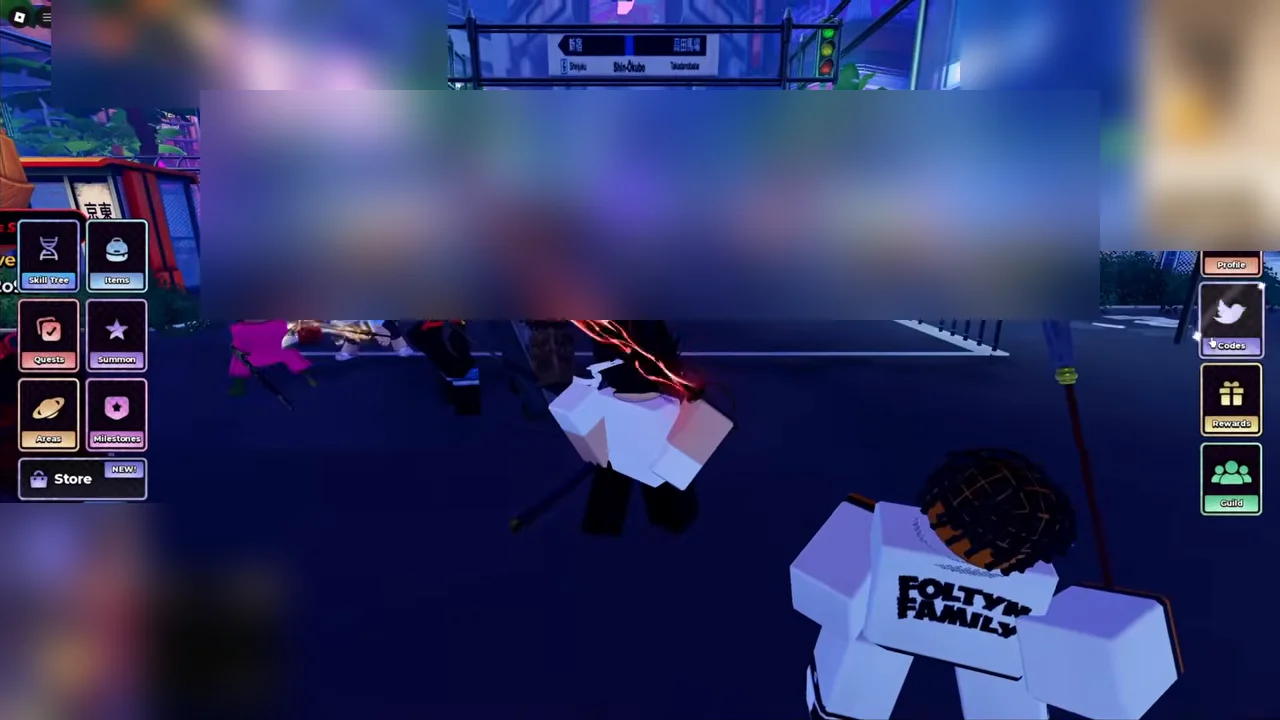
Lobby view with the blue Codes button on the left HUD. Picture: NinjuGamerz - 2
Step 2
Click the blue Codes button on the left HUD to open the redemption box.
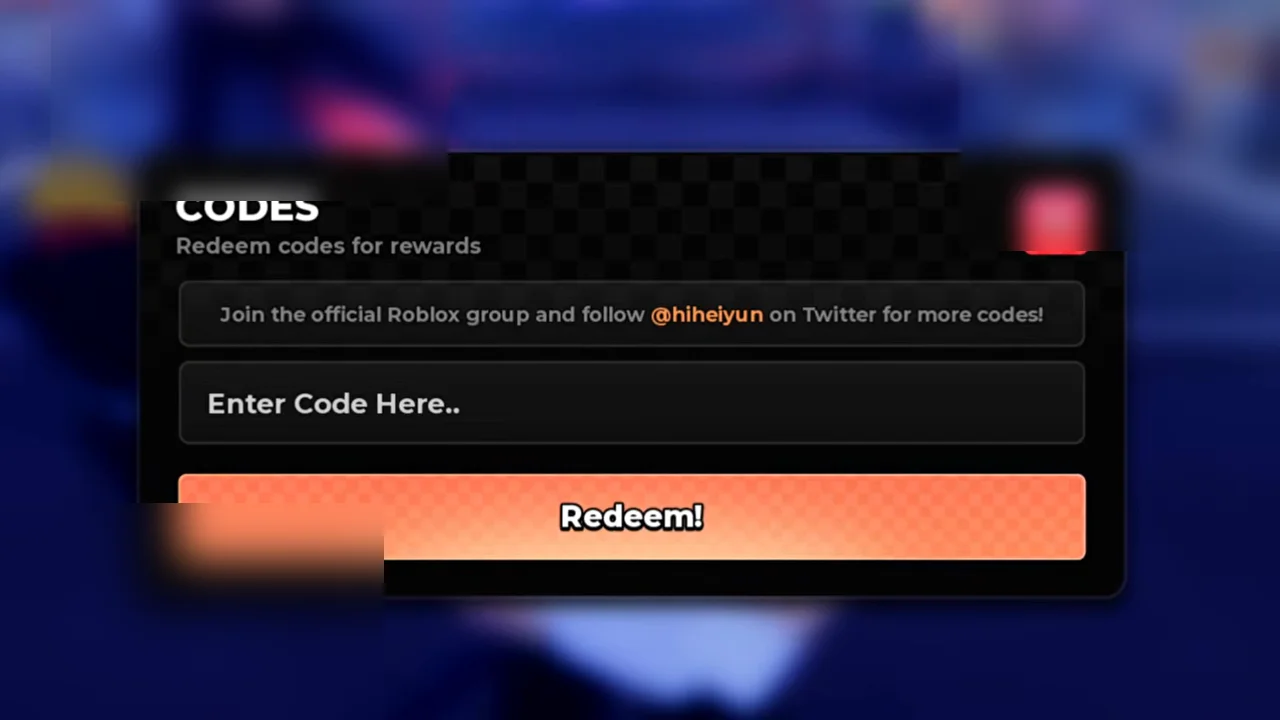
The Codes redemption modal centered on the screen. Picture: NinjuGamerz - 3
Step 3
Click the 'Enter Code Here...' input box and type or paste your active code.
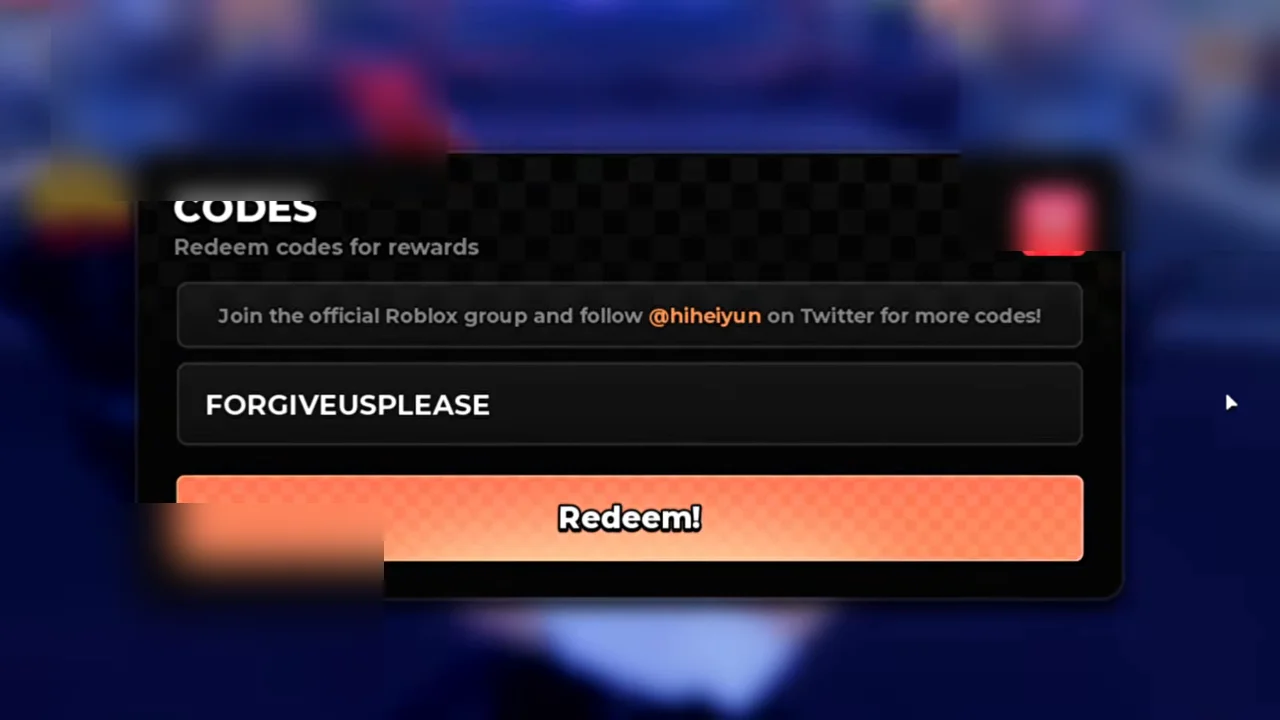
Active code entered into the 'Enter Code Here...' text field. Picture: NinjuGamerz - 4
Step 4
Click the Redeem button to claim your Coins, Gems, and Lucky Spins.
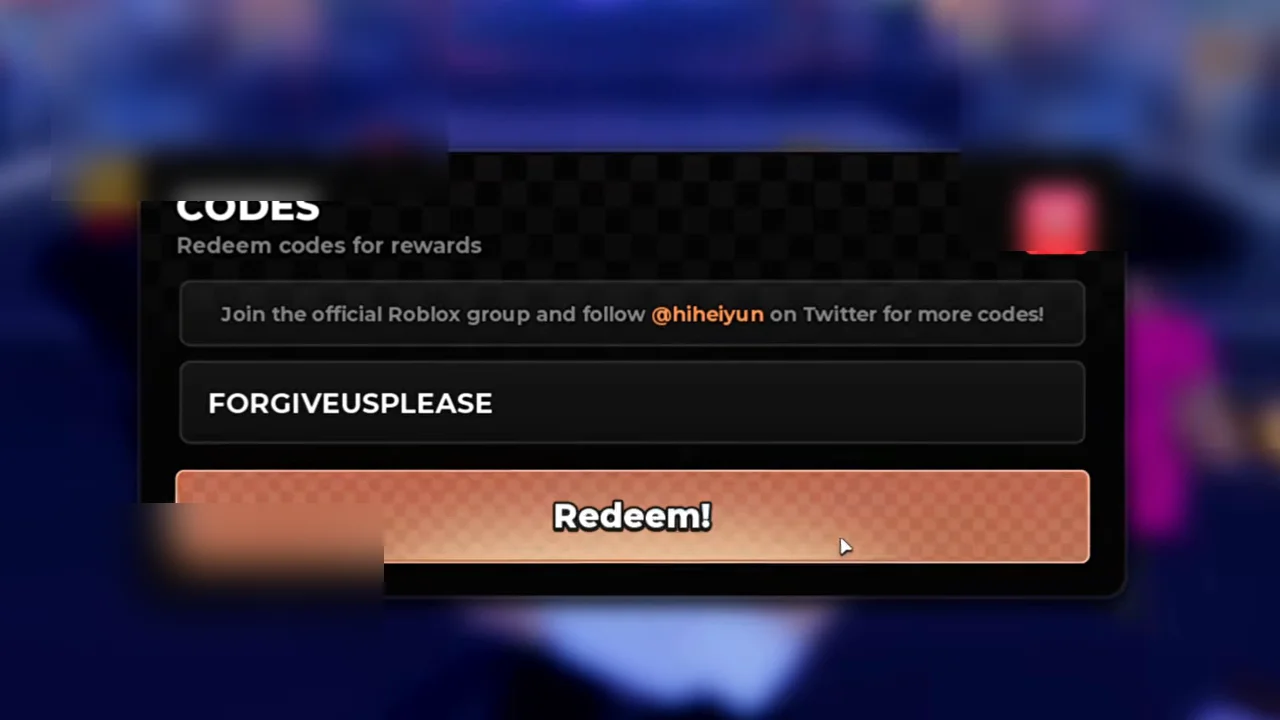
Confirmation notification displaying rewards received after redemption. Picture: NinjuGamerz
Code Not Working?
- Enter the code exactly as shown (most games are case-sensitive).
- The code may have expired or reached its maximum redemption limit.
- If a code was just announced with an update, rejoin a newer server.
- Check if the game has level, group, or playtime requirements before claiming.