How to Redeem Codes in Blox Fruits
Step-by-step guides with screenshots showing where to find the code button and how to claim rewards.
Try It Now
Working Codes (16) 2x EXP Boost for 20 minutes
2x EXP Boost for 20 minutes
2x EXP Boost for 30 minutes
How to Redeem Codes in Blox Fruits
Tip: Tap any active code above to copy it to your clipboard before following the steps below.
- 1
Step 1
Launch Blox Fruits on Roblox and load into your game session.
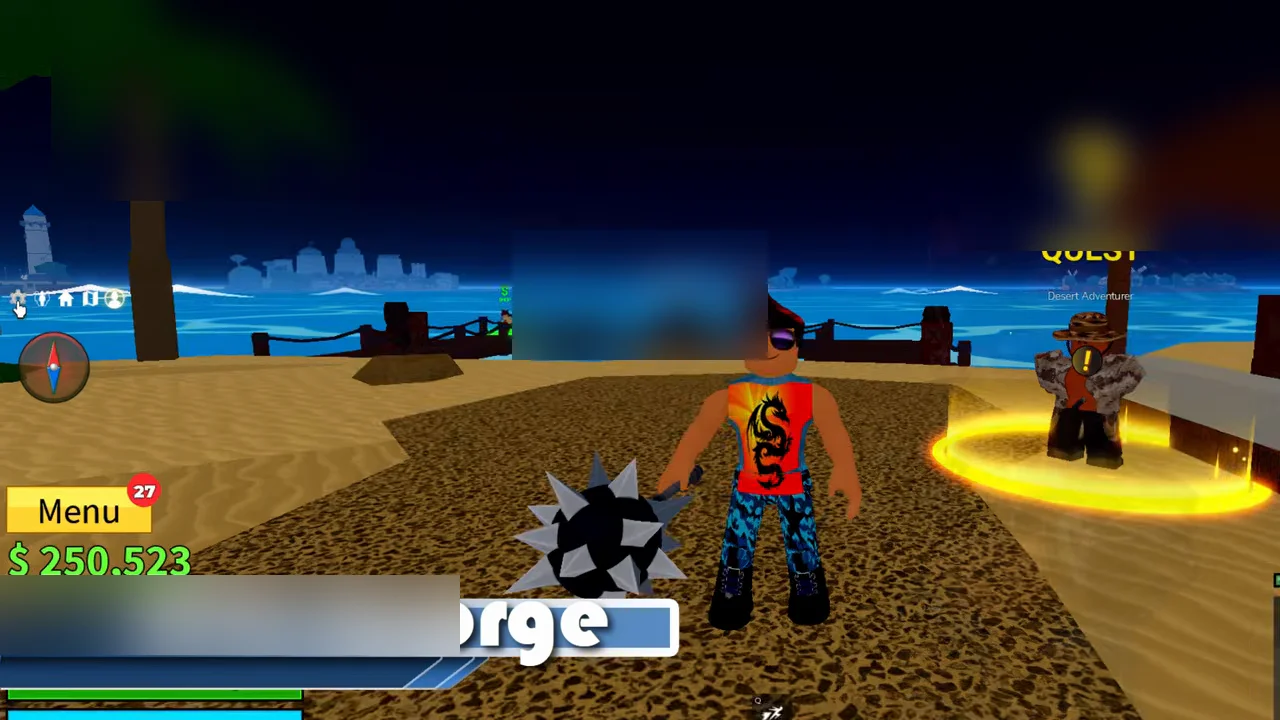
In-game view showing the Menu button on the left HUD. Picture: HTG George - 2
Step 2
Locate and click the Menu icon on the left side of the screen above the health bar.
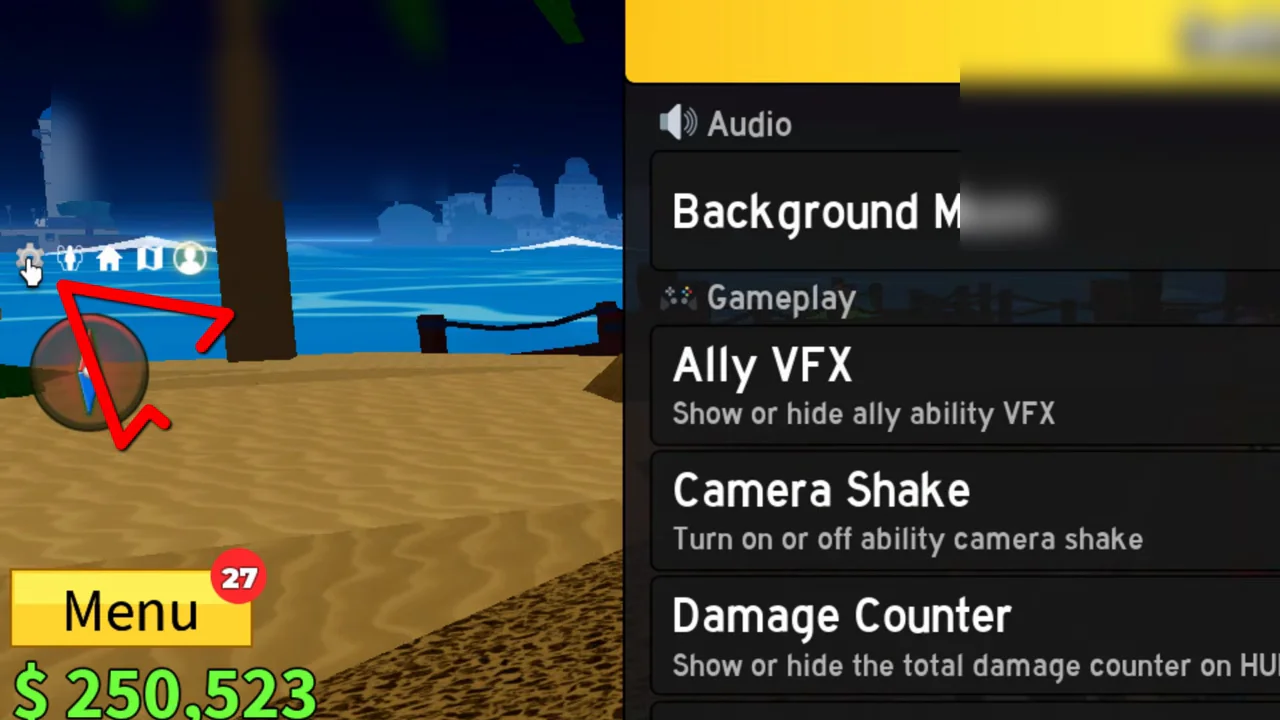
Left HUD menu icons with arrow pointing to the Menu button. Picture: HTG George - 3
Step 3
In the menu, locate the 'Redeem DLC Code' option with the yellow Redeem button.
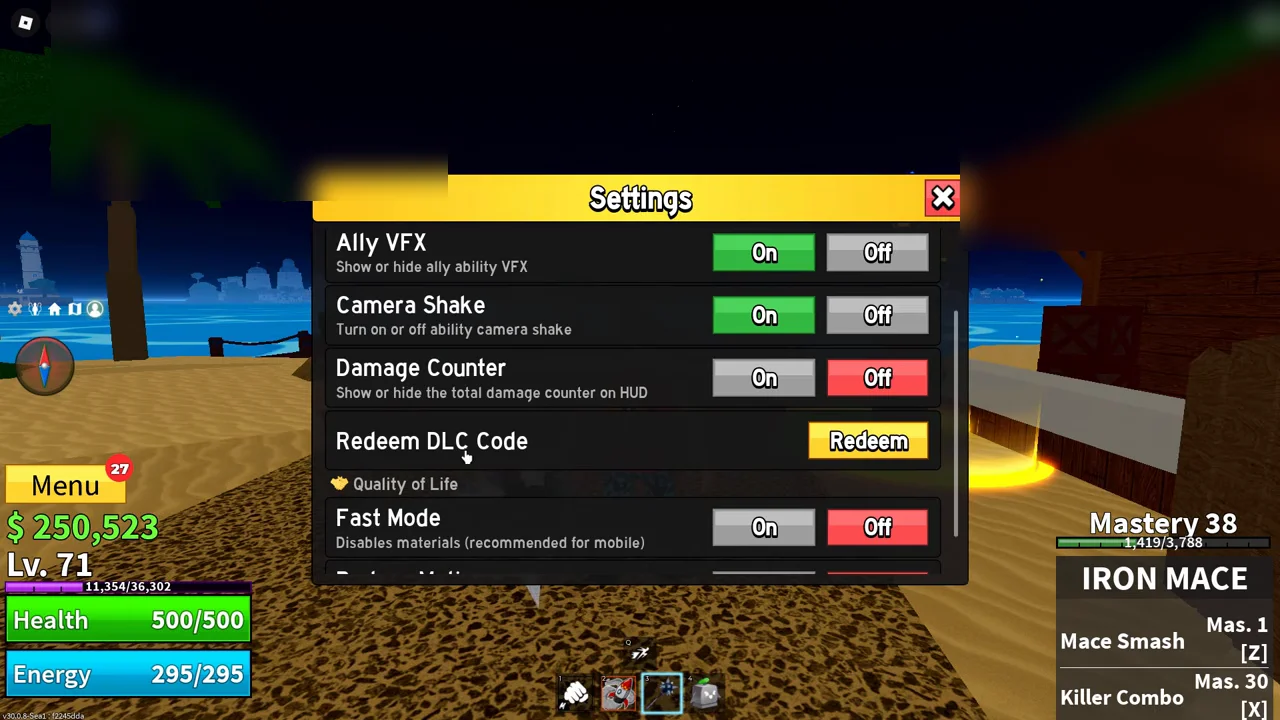
Settings menu displaying the DLC Code redemption option. Picture: HTG George - 4
Step 4
In the Redeem Codes pop-up, click the 'Enter Promo Code' text field.
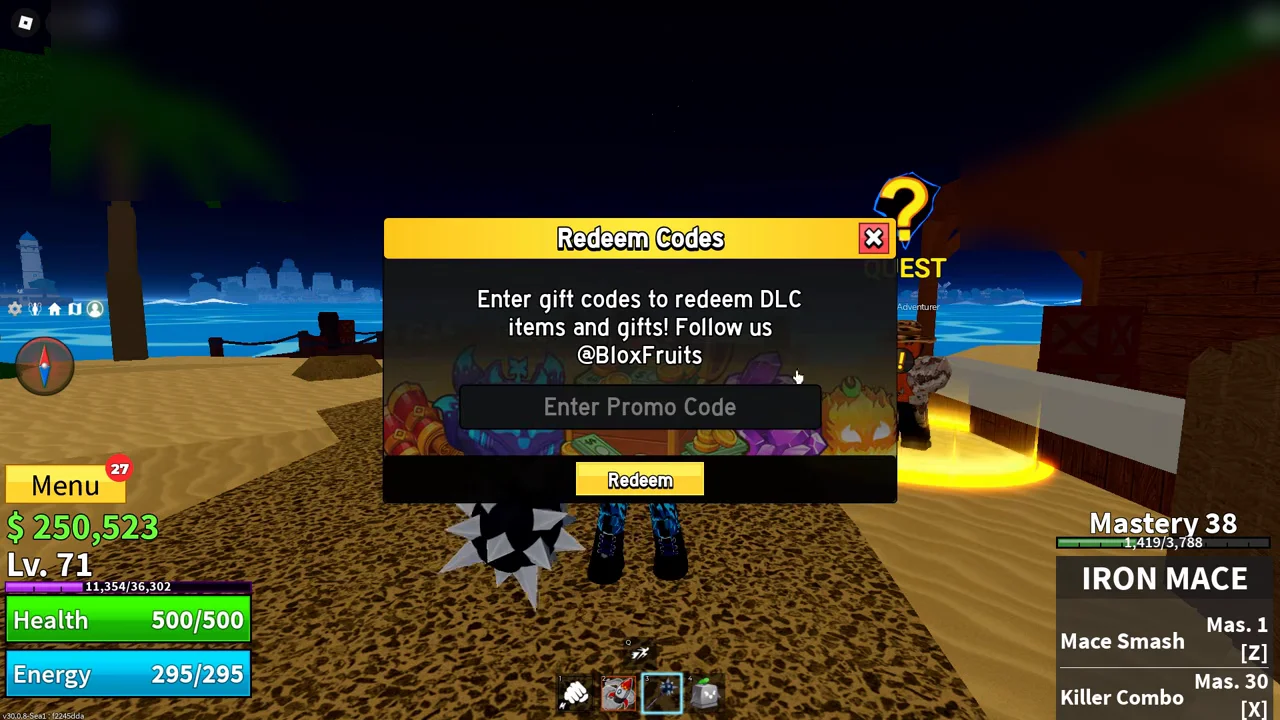
The Promo Code redemption pop-up with text input field. Picture: HTG George - 5
Step 5
Type your active code and click the yellow Redeem button to claim your rewards.
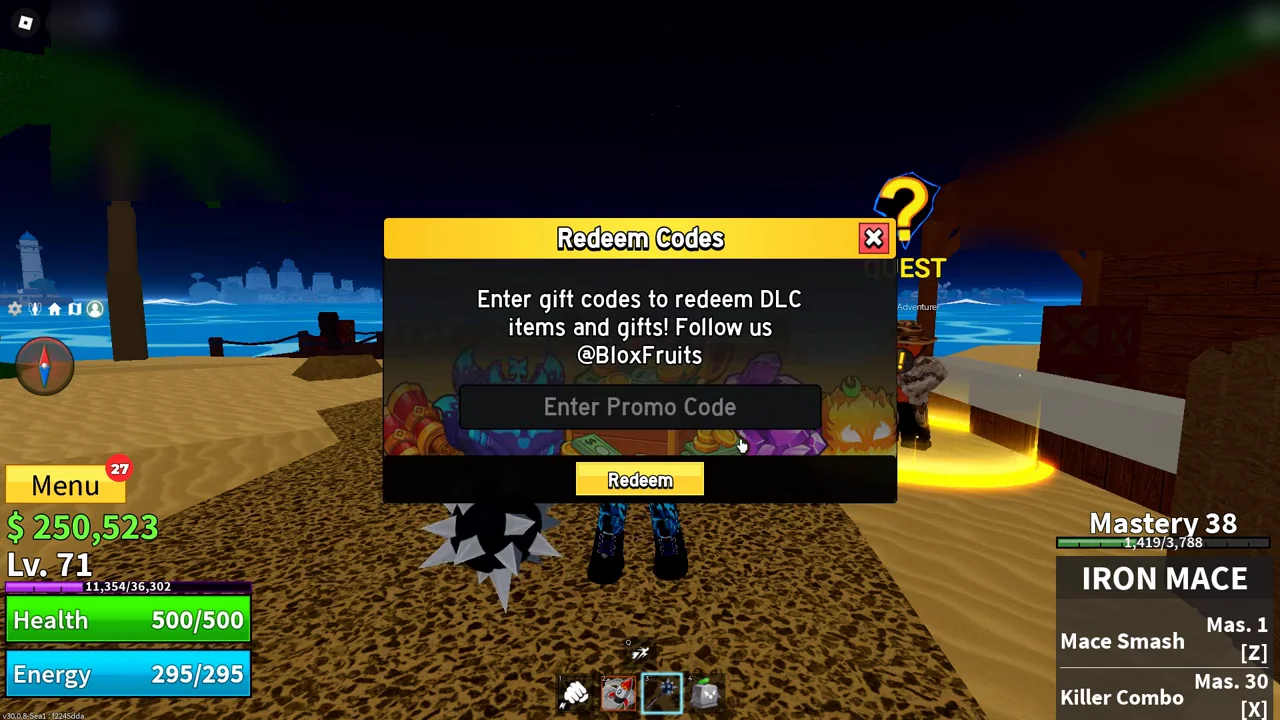
Yellow Redeem button clicked to claim free double XP and resets. Picture: HTG George
Code Not Working?
- Enter the code exactly as shown (most games are case-sensitive).
- The code may have expired or reached its maximum redemption limit.
- If a code was just announced with an update, rejoin a newer server.