





How to Redeem Codes in DONT SPLASH
Step-by-step guides with screenshots showing where to find the code button and how to claim rewards.
Try It Now
Working Codes (1) 100 Coins
How to Redeem Codes in DONT SPLASH
Tip: Tap any active code above to copy it to your clipboard before following the steps below.
- 1
Step 1
Enter the DONT SPLASH lobby and click the red SHOP button on the left sidebar.
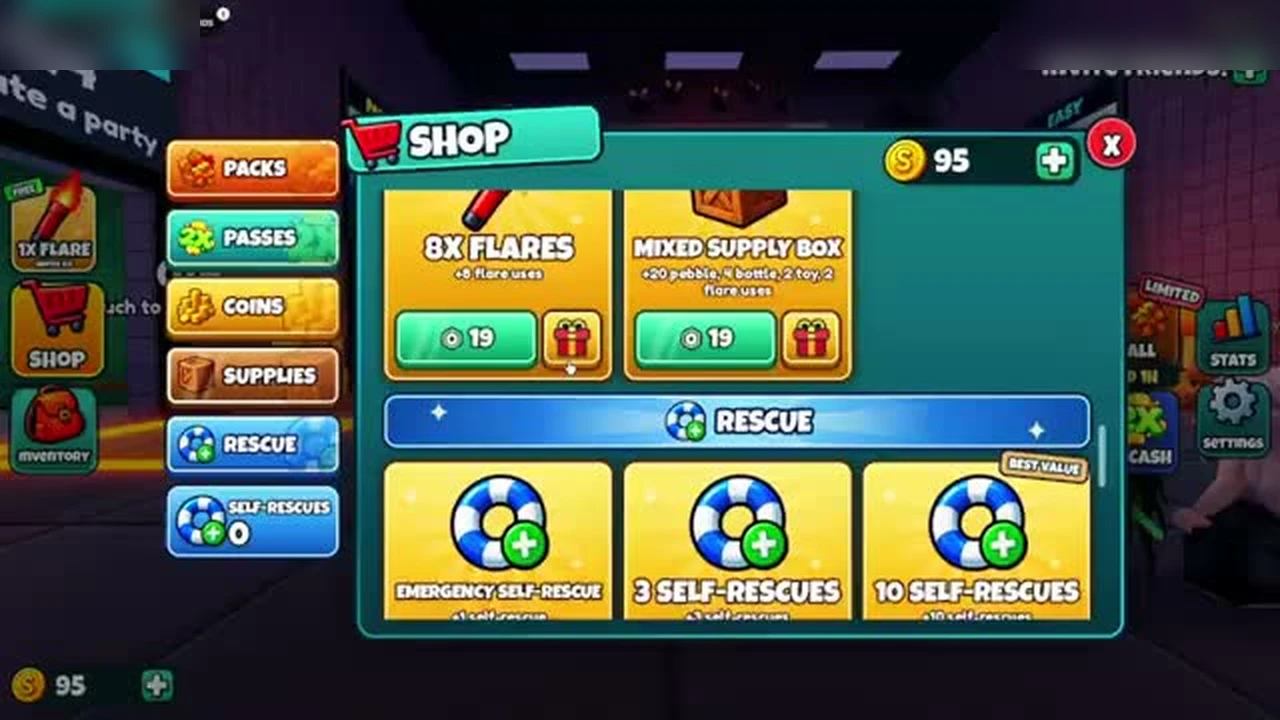
The SHOP button on the left menu. - 2
Step 2
Scroll down to the CODES section inside the shop and type your code into the ENTER CODE box.
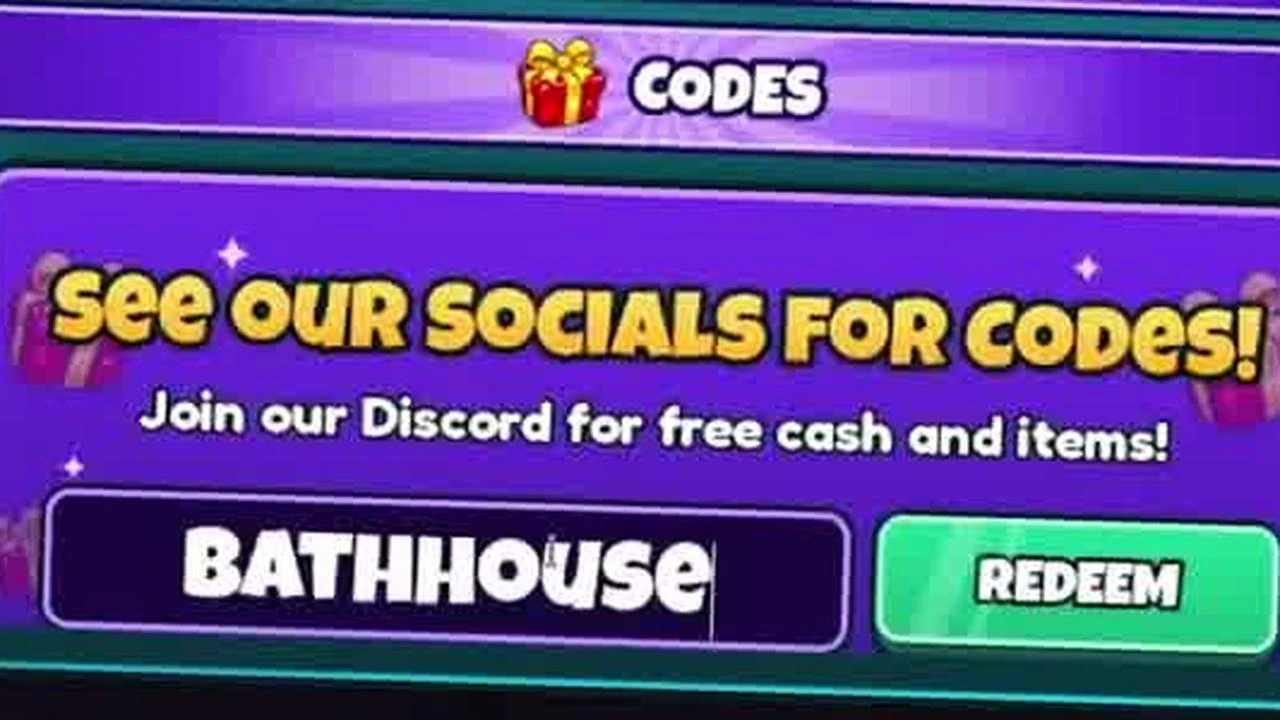
The CODES box inside the Shop with code typed. - 3
Step 3
Click the green REDEEM button to receive your free coins instantly.
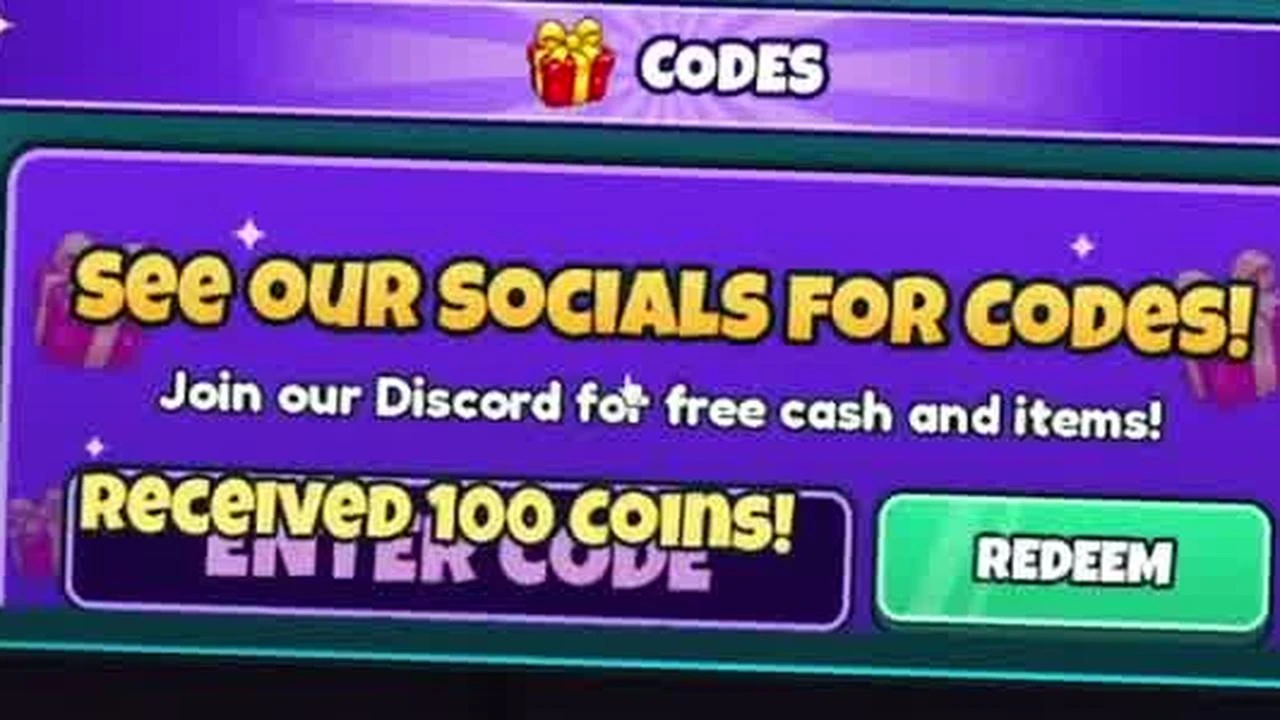
Success notification confirming coins received.
Code Not Working?
- Enter the code exactly as shown (most games are case-sensitive).
- The code may have expired or reached its maximum redemption limit.
- If a code was just announced with an update, rejoin a newer server.