



Dress To Impress is a game where you build an outfit and show it off. As a beginner, start in the lobby, pick your skin tone, style your hair, add makeup, choose clothes, color them, and then head to the runway. This guide walks through each step in plain words.
What this game is
Dress To Impress is the main game mode of the game. It has been the heart of the experience since the game opened in 2023. Players compete to make the best outfit. The wiki lists the first release date as November 11, 2023. It also says nothing is required to play, and up to 13 players can be in one round.
That means you do not need to buy anything before you try it. You can join, look around, and learn as you go. Many new players ask the same basic questions when they join. They want to know where to change their hair, where to change their skin tone, and how to do other small things. This guide answers those questions in order.
One helper in the source videos made a test account with no game passes at all. That way, the steps show what a brand new player gets. Everything in the first half of this guide works that way. Later, we talk about the extras that cost money, so you know what to expect.
Your first steps in the lobby
When you first arrive, look at the top of your screen. That is where the round theme shows up. The theme tells you what kind of outfit to make. In the example videos, the themes were jeans and denim in one and black and white in another. Always check the theme before you start picking clothes.
One video gives a tip for new players. Walk to the balloons in the lobby and click on them. You then get a small pose pack as a gift. The video shows a back flip and a back flip with a split. The same video says this is a nice starter set if you have no currency to buy bigger pose packs. Since only one video mentions it, check that the balloons still work when you play, because the creator briefly worried they were gone.
Another video points out a small mini obstacle course that was added in an update. It also says that a kind of money was added at the same time. You can win some of it there. We cover what the money does in a later section.
Here is a simple order to follow when a round starts:
- Read the theme at the top of the screen.
- Go to the skin tone machines.
- Visit the hair salon and sit in a chair.
- Visit the makeup salon.
- Pick your clothes.
- Color your items and add patterns.
- Wait for the runway.
Skin, hair, and makeup
Choosing a skin tone
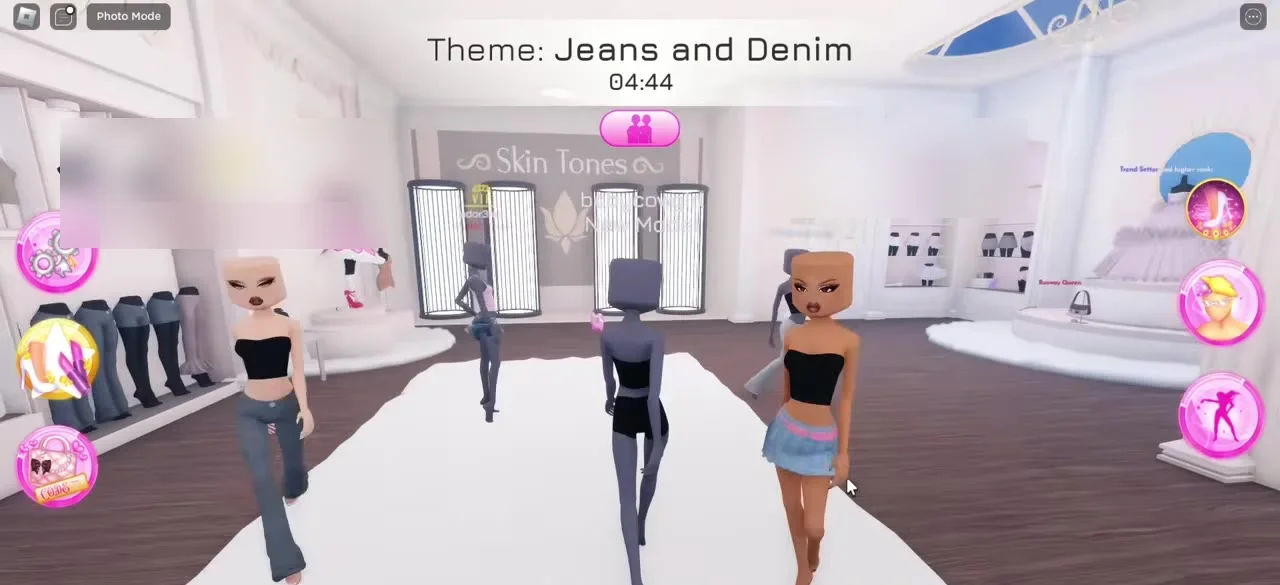
The first stop is the skin tone area. A video says to walk to the place marked with the words skin tones. There you will find a little machine. Use it to change your skin color. One video also notes that a color wheel was added. With it, you can go beyond the normal choices and pick any shade, even a rainbow one if you like.
Styling your hair
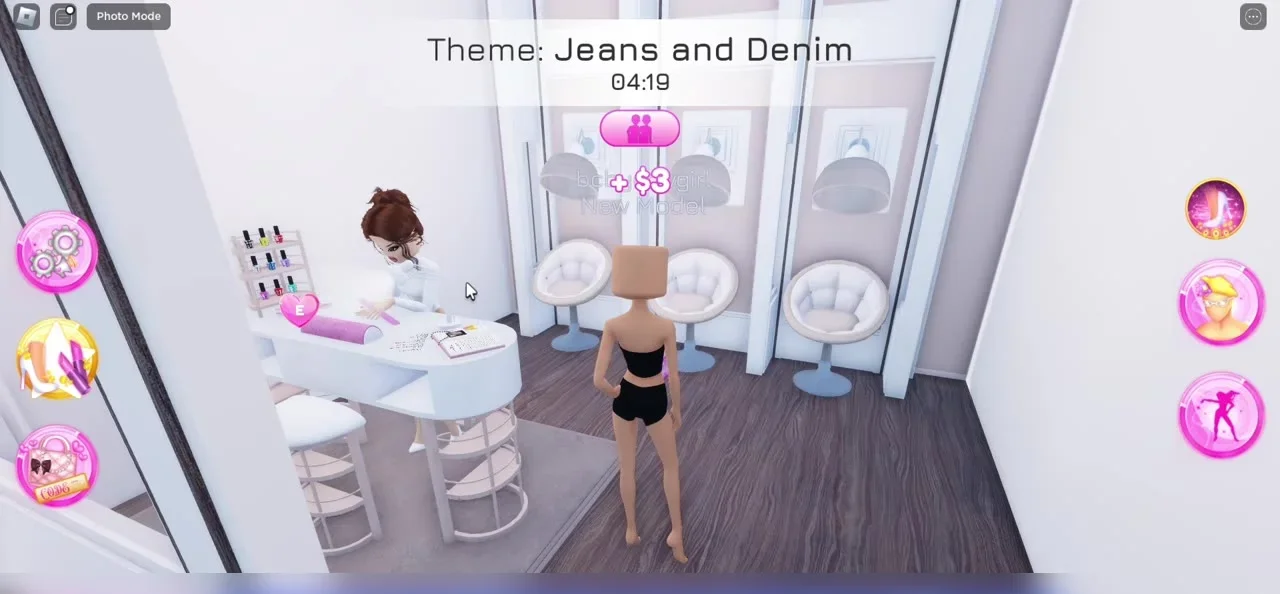
Next, go to the hair salon, which is run by a character named Lana. You sit on one of the small seats by pressing the E key. Then you get ready and pick any hair you like. A video says that a bangs option was added too, and the creator liked it.
You are not stuck with only one hairstyle. You can stack as many styles as you want on top of each other. One video does this with two styles and then adds bangs on top. Stacking lets you build a look that is all your own.
Here is a warning about hair. Patterns do not work on hair. The creator tried it, then noticed it did not work. You can use the color palette or the color wheel instead. So when you want a special hair color, pick a plain color.
Makeup
The makeup salon sits right beside the hair salon. Here the game passes matter. One video says that one side of the makeup area is locked unless you buy the game passes. If you do not have them, use the other side. On that side, you will find two groups, one feminine and one masculine. The creator says the choices are plentiful and pretty. Without the custom makeup pass, this side is the one to use.
There is also a VIP area that you cannot enter without paying. Some items cost Robux too. As a beginner on a free account, you can skip those and still make a full outfit.
Picking clothes and adding color
After makeup, go look for clothes that suit the theme. One video keeps its outfit simple and cute. Choose pieces that fit the theme, and do not worry if it is simple at first.
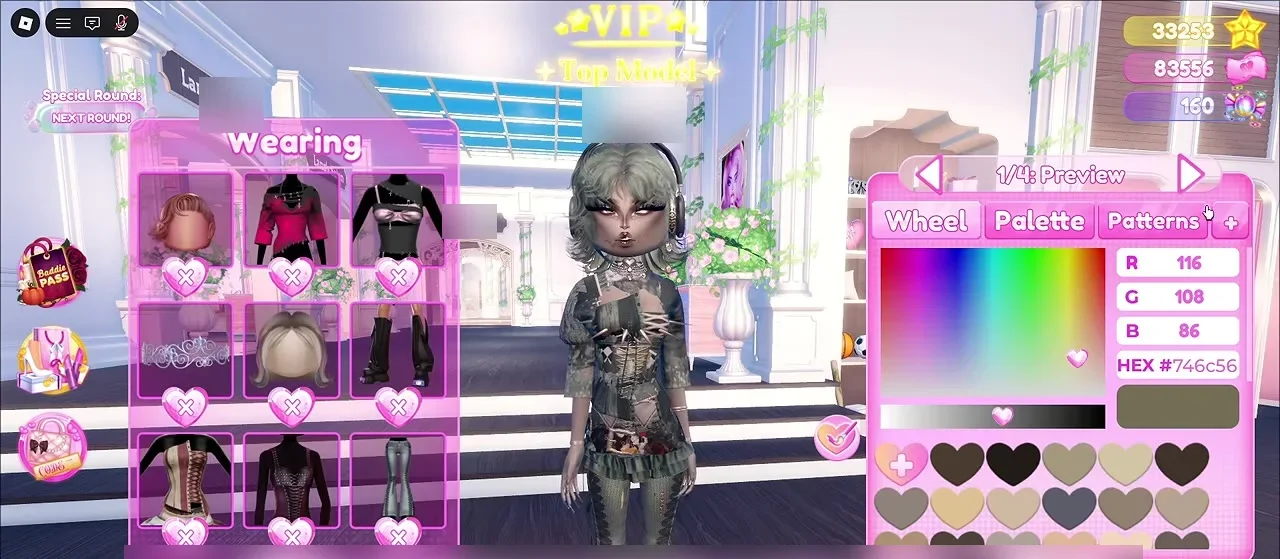
To change colors, use the little mannequin picture on the right side of your screen. Click it, and you will see a list of everything you are wearing. Click an item in that list to change it. You can pick any color. You can also open the patterns and choose one that fits the theme, such as a black and white pattern for a black and white round.
The same video says the basic job is easy. Color each piece, and then you are done with this step.
But note one thing. Some items will not take a pattern at all. The creator does not know why. Just watch out for those items, and use a plain color on them instead.
Using materials to look better
Colors have a hidden extra. When you change the color of an item, a small plus button opens more choices. These are called materials. A video says many players know this but few use it.
Here are the uses that one video explains:
- If you cannot find a pattern that matches your colors, pick a material instead. The video makes boots blend into pants by choosing a denim material and then a matching color.
- The default materials are often not what you want. One of them looks very shiny, for example.
- Materials can make a pattern darker. The video shows several that do this, like silk and foil styles. Results change with each pattern and item.
The same video also gives a warning. Some players set every part of an item to glitter or rainbow glitter. The creator thinks this looks tacky unless you want a very bold look on purpose. The video suggests mixing patterns with regular colors. That is one player's view, so use your own taste too.
Currency and special items
A kind of money was added to the game. You can find it while you get ready, and you should pick it up. When you collect more, you can buy items with it. One video shows a bow that costs 50. After you buy it, you can wear it.
In another video, the creator walks past the summer items and finds two dresses that cost currency. They are pricey, so the creator says to save up. The creator had nothing to spend at that moment. This shows that collecting money early helps you buy bigger things later.
Here is what to remember about spending:
- Pick up the currency when you see it.
- Look at the sets that show a price.
- Buy what you want and wear it.
- Save up if an item costs a lot.
Some items need game passes or Robux instead. Those are separate from the currency, so a free player will not be able to use them. That is fine, because the free choices are still wide.
Small settings and extras that help
A few small things can make your outfits look better with little work. These come from one video that lists easy upgrades.
Ears
Open the settings menu and look at the bottom. There is a switch that turns ears on or off. With it off, your character has no ears. Turn it on, and the character looks more real. In the past, you needed earrings for ears to show. Now you do not. The video says this helps most with hairstyles that leave the sides of the face bare, such as ponytails.
Lashes
The same video says to add lashes to every outfit if the character is human. They change the face and the mood of the whole look. They come from a special code that the video shows on screen. Some eyes leave a gap between the lashes and the eyes, and the item adjustment tool fixes that. Different lash styles give different feels. One is called cute, and another is better for a sharper look.
Saving hair and favorites
Another video shows how to set up your account so rounds go faster. The creator saves favorite patterns, best poses, and hair combos. A hair combo is a stack of hair pieces that you save as one look. There are eight slots for them. The screen shows how many of the eight you have used. When you save a combo, you give it a name. The name has a limit of 20 characters, so keep it short.
The creator found ideas for combos on the internet and then built them in the game. Saving a combo means you do not need to rebuild your hair each round. This is a nice goal once you know the basics.
FAQ
Where do I change my skin tone?
Walk to the area marked with skin tones. A little machine there lets you change it. There is also a color wheel for more choices.
Where do I change my hair?
Go to the hair salon. Sit on a chair by pressing E. Then pick the hair you like. You can add bangs, and you can stack many styles.
Can I put patterns on hair?
No. Patterns do not work on hair. Use the palette or the color wheel.
Why will my pattern not go on an item?
Some items do not allow patterns. This is a game rule, so pick a plain color for those.
Do I need game passes?
No. You can play with none. Some makeup and VIP areas stay locked, but you can use the open side of the makeup area.
What is the money for?
You can buy items with it, like a bow or some summer dresses. Pick it up while you get ready.
How do I get a free pose pack?
One video says to click on the balloons in the lobby. That gives you a small pose pack.
How many players can be in a round?
The wiki lists thirteen as the top number.
How can I make my outfit look better fast?
Turn on ears in settings, add lashes, and try materials. Mix patterns and plain colors so the look does not feel too busy.
How can I save my hair looks?
Use the hair combo slots. There are eight. Name each one with 20 characters or fewer.