
How to Redeem Codes in +1 Stone Skipping
Step-by-step guides with screenshots showing where to find the code button and how to claim rewards.
Try It Now
Working Codes (18) Free in-game rewards
Free in-game rewards
Free in-game rewards
How to Redeem Codes in +1 Stone Skipping
Tip: Tap any active code above to copy it to your clipboard before following the steps below.
- 1
Step 1
Launch +1 Stone Skipping on Roblox and locate the Shop icon on the left HUD menu.
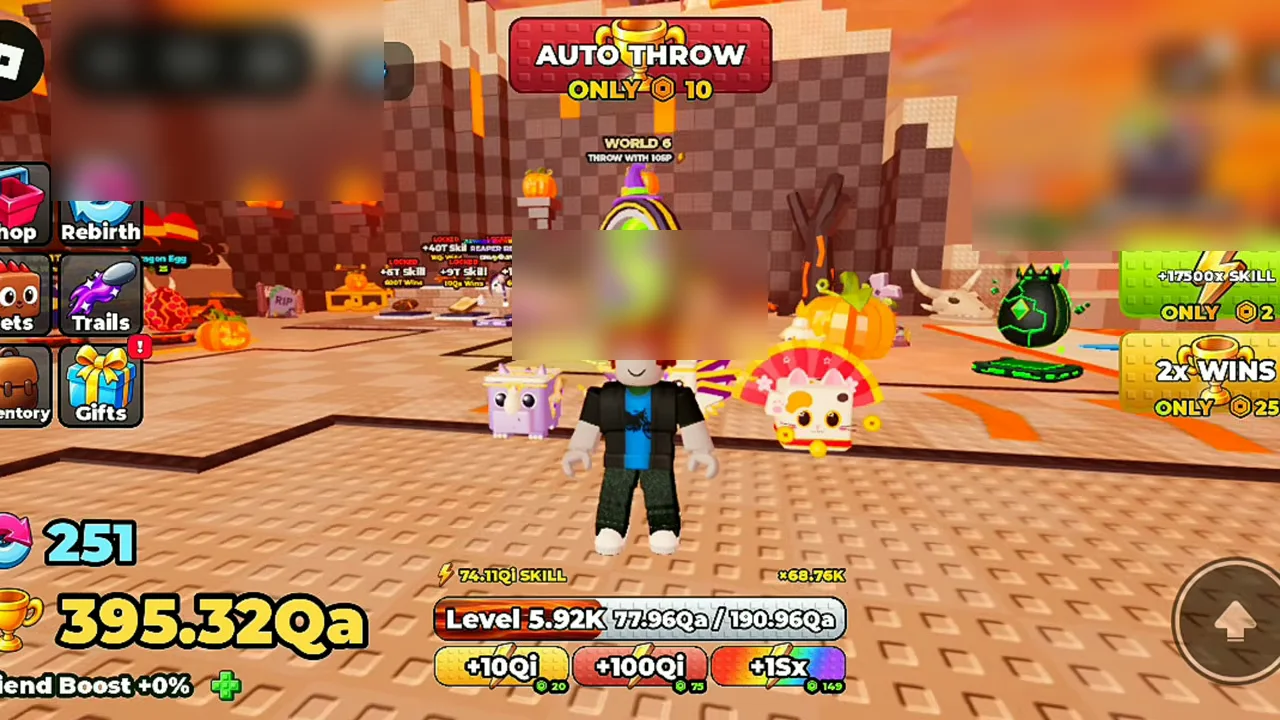
The Shop cart icon on the left HUD menu. Picture: @Baahu - 2
Step 2
Click or tap the Shop button to open the in-game Shop window.
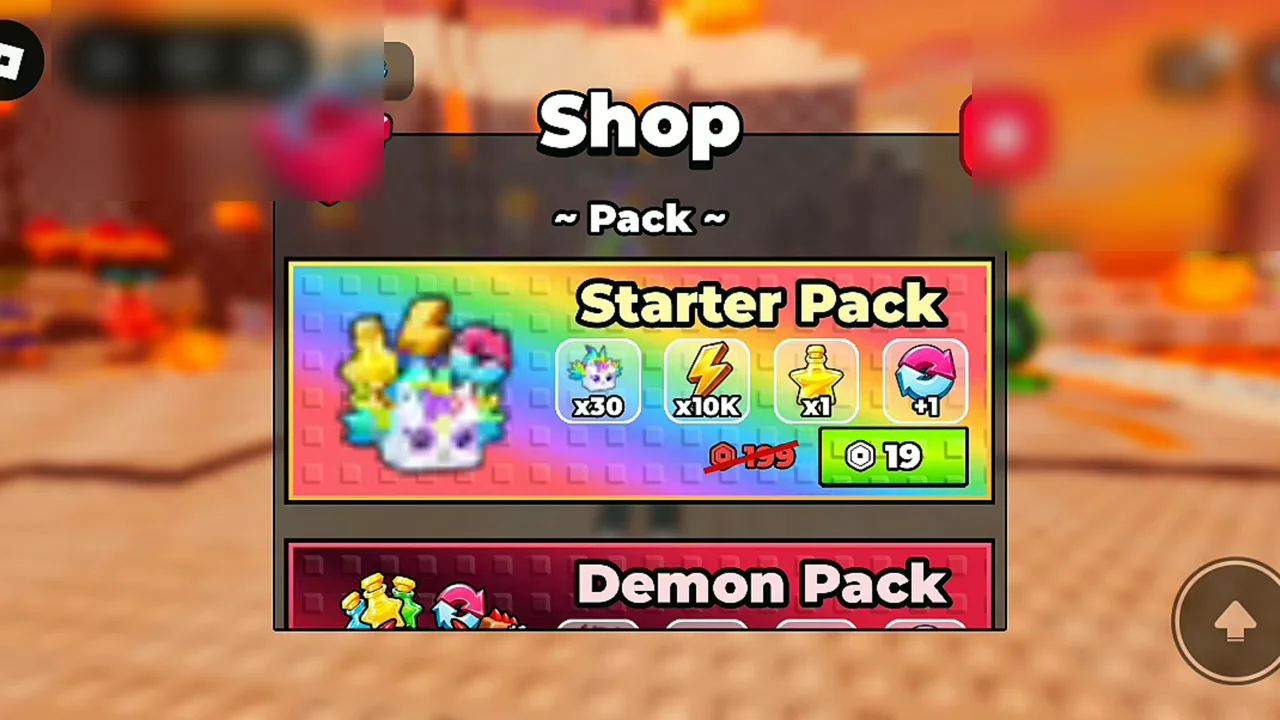
The in-game Shop window displaying game passes and items. Picture: @Baahu - 3
Step 3
Scroll down to the bottom of the Shop window until you see the Codes redemption box.
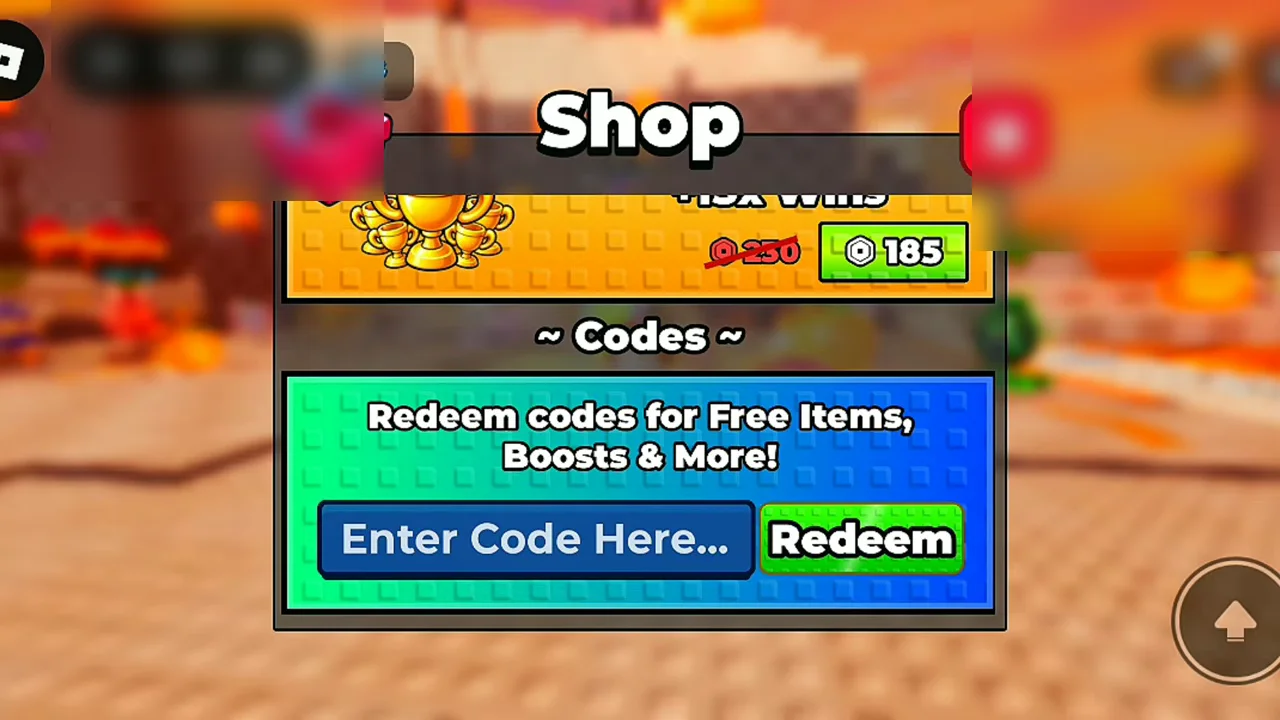
The Codes redemption section at the bottom of the Shop window. Picture: @Baahu - 4
Step 4
Click the 'Enter Code Here...' input box and type or paste your active code.
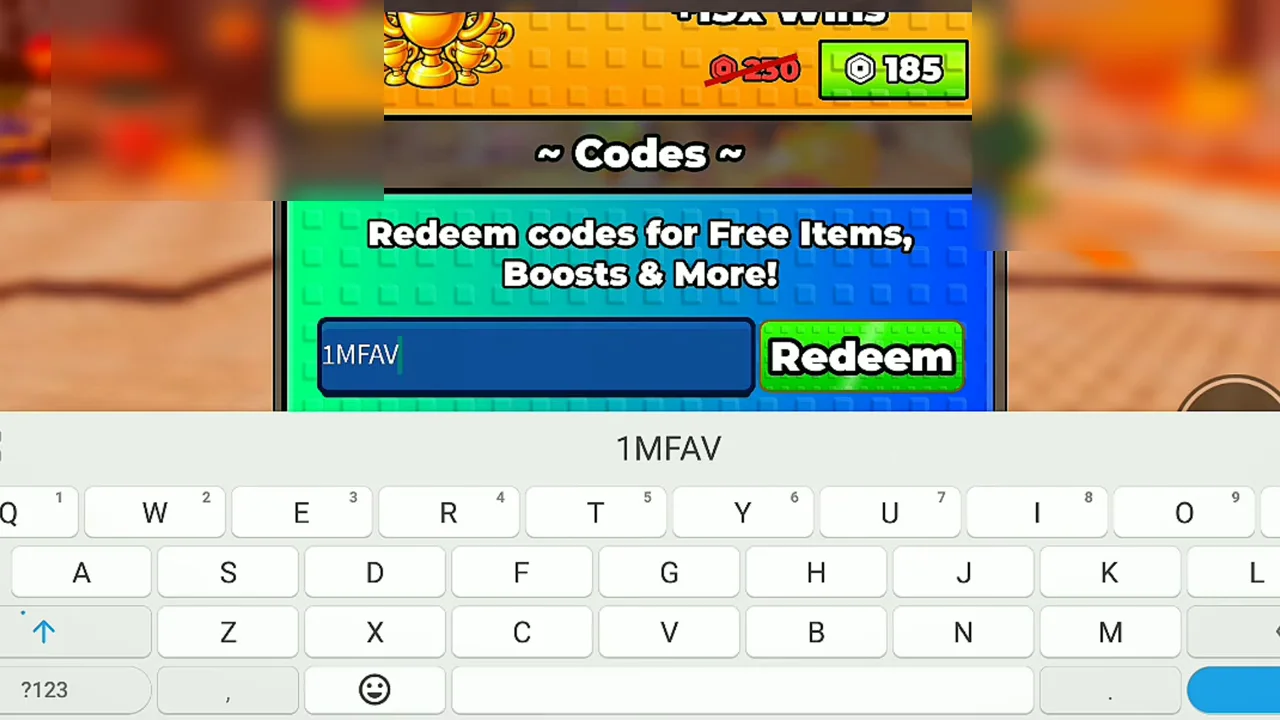
Active code entered into the 'Enter Code Here...' text field. Picture: @Baahu - 5
Step 5
Click the green Redeem button to submit the code and collect your free rewards.
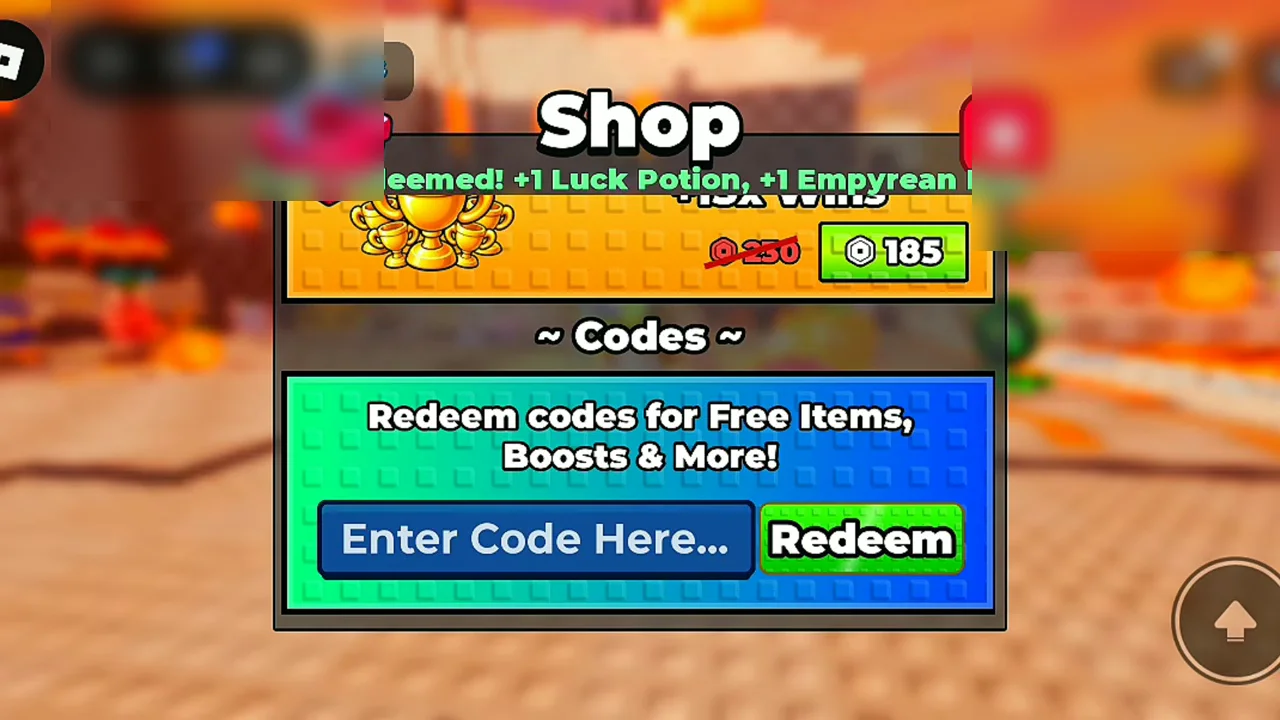
Reward confirmation popup showing potions and eggs added to inventory. Picture: @Baahu
Code Not Working?
- Enter the code exactly as shown (most games are case-sensitive).
- The code may have expired or reached its maximum redemption limit.
- If a code was just announced with an update, rejoin a newer server.