
How to Redeem Roblox Promo Codes: Official Steps
Step-by-step guide with screenshots of the official roblox.com website showing how to redeem promo codes and claim rewards.
Important: You must redeem platform promo codes in a web browser (Safari, Chrome, etc.) at roblox.com/redeem, not inside the Roblox mobile app.
Note: roblox.com/promocodes automatically redirects to the unified redemption page at roblox.com/redeem.
Try It Now
Working Codes (13)Option 1: Redeem on Desktop (PC / Mac)
- 1
Open your web browser (Chrome, Edge, or Firefox) and navigate to the official redemption page at roblox.com/redeem.
- 2
Log in to your Roblox account if prompted.
- 3
Enter your code into the "Code" text box and click the Redeem button.
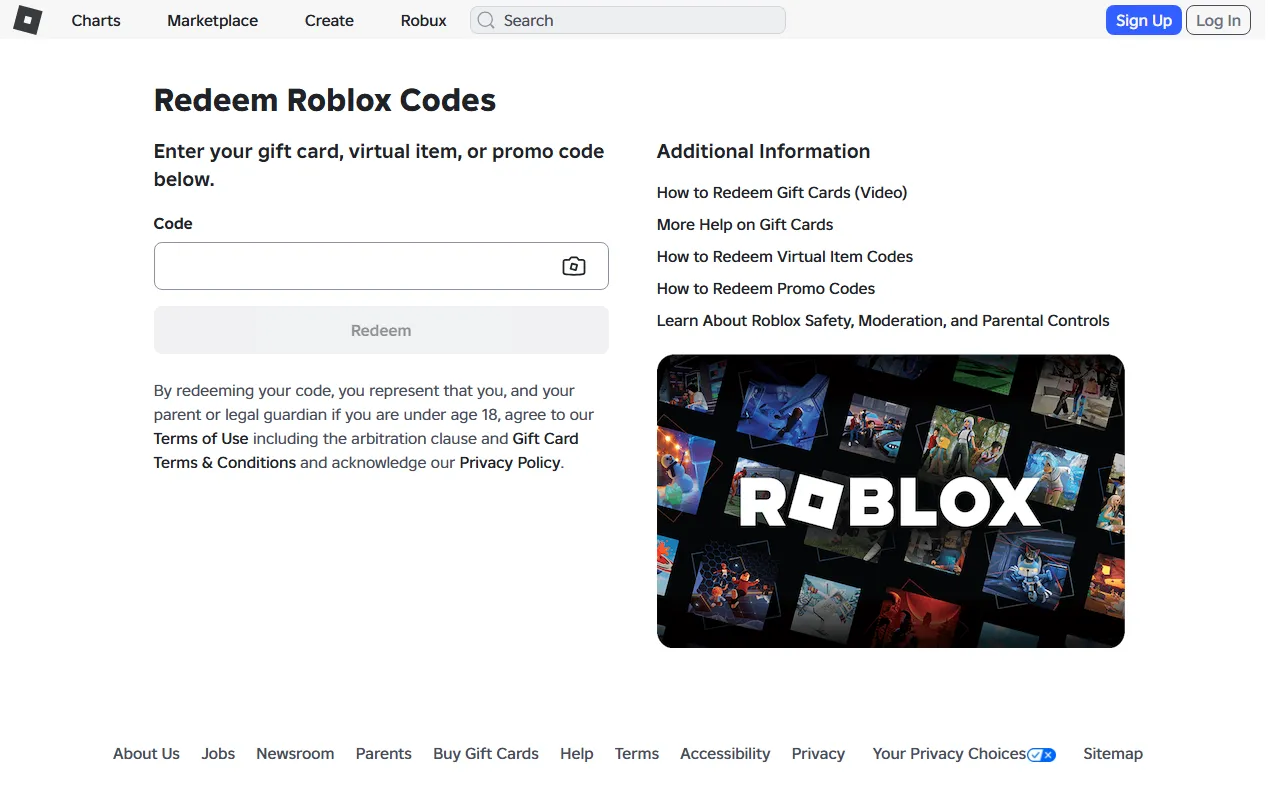
roblox.com/redeem, signed out - 4
A success message will confirm redemption and your free virtual item will appear in your Inventory.
Option 2: Redeem on Mobile Browser (iOS / Android)
- 1
Open a mobile browser like Safari (iPhone/iPad) or Chrome (Android). Do not use the Roblox mobile app.
- 2
Go to roblox.com/redeem and log in to your account.
- 3
Paste the code into the text field and tap "Redeem".
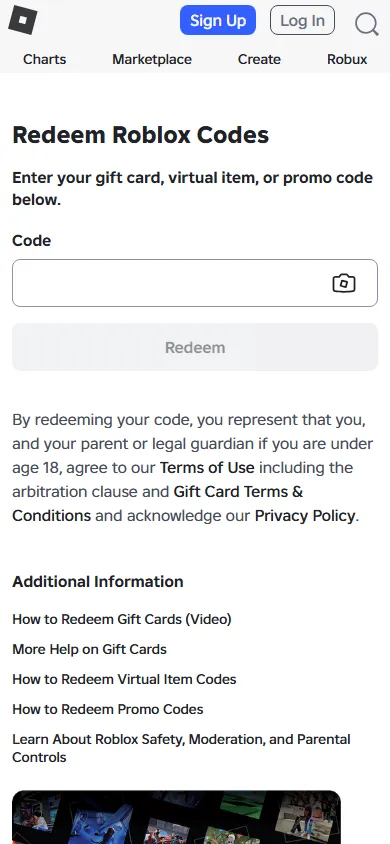
roblox.com/redeem on mobile browser.
Code Not Working?
- Enter the code exactly as shown (most games are case-sensitive).
- The code may have expired or reached its maximum redemption limit.
- Make sure you are redeeming in a web browser, not inside the mobile app.