







To play Sweep The Moon, hold your mouse button to sweep dust off the moon into your canister, carry it to the deposit area for money, then spend that money on upgrades, finish whole tiles for bonus cash, and move on to robots later.
This guide walks you through the whole game from the first sweep. It covers the basic loop, the classes, the upgrades, tiles, canister space, and automation. Read it once, then keep it open while you play.
The big idea of the game
Your job is simple. You are a cleaner on the moon. The moon is covered in dust, and you remove it. In return, the game pays you money.
The long goal is to get the whole moon clear. That is a very big job. The map is huge, and one video points out that the part you start in is only a small piece of it. So do not expect to finish in one sitting. Think of the game as a long cleanup that gets easier as you grow your tools.
Here is the loop you will repeat again and again:
- Sweep dust from the ground.
- Fill your canister.
- Walk to the deposit area.
- Turn the dust into money.
- Spend the money on better gear.
One creator describes the start in a very short way. You begin with a toothbrush, you sweep dust into a container, and you empty it at the base for cash. Then you use the cash to make your brush and your canister better. That is the whole opening of the game, and everything else builds on it.
Another creator says the same thing in other words. Your main work is to clear dust from the moon surface and gather it so that you can earn. Most players spend a lot of time on this at the start. So the best plan is to make each trip pay more and to clean faster.
How to sweep
Sweeping is easy. You do not need a tricky button combo. You just click and hold, and your tool pulls the dust in.
A few simple habits help:
- Hold the mouse button down while your tool is over the dust.
- Move across the dust in neat, straight lines.
- Keep going until your canister is full or you are ready to cash in.
One video suggests that working in straight lines is the best way to clear an area fast. That makes sense for a simple tool. When you go in rows, you do not leave small gaps behind.
Your first tool is a toothbrush, so the early cleaning is slow. One creator jokes that it can feel like a long job when all you have is a small brush. Do not worry. Better tools are for sale, and the same video names a scrubber, a large brush, and a T-bar brush as some of the things you can buy. Another guide picks the T-bar brush as a good choice for faster cleaning.
Depositing your dust
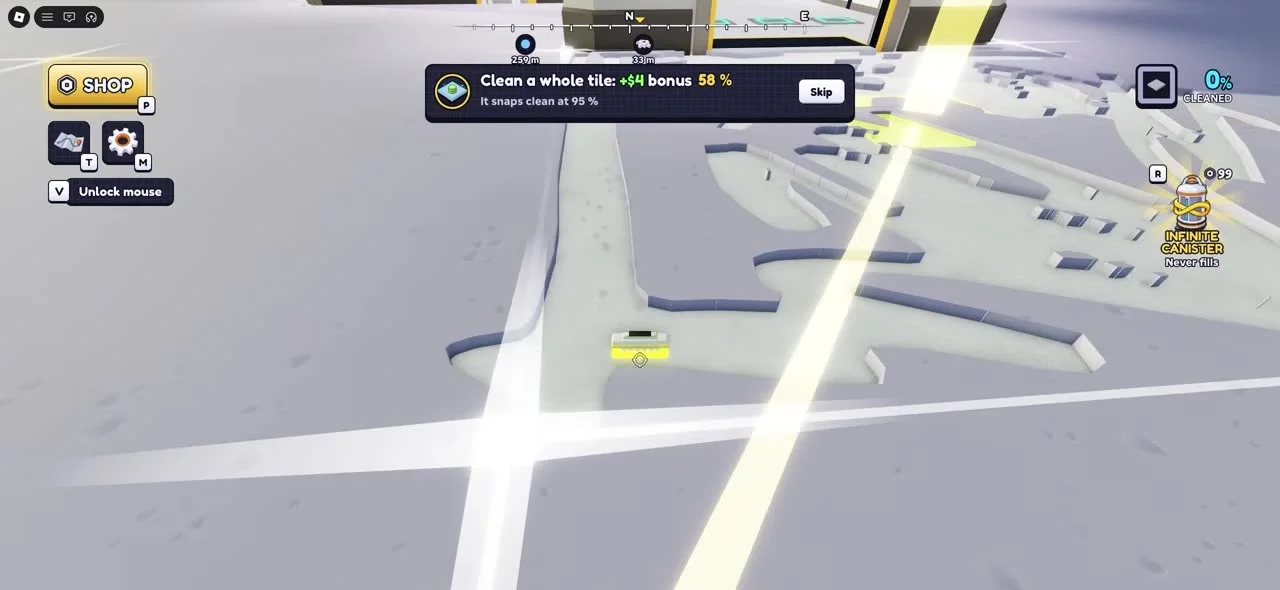
Dust is only worth money once you turn it in. So you must go to the deposit area. It is the place where your canister is emptied and your cash appears.
One video says that when your canister is full, or when you have gathered one kilogram, you can go to that area and turn the dust in. After that, you go back out and sweep some more. The loop starts over.
There is a smart habit to learn here. Try to stay near the main area. One creator points out that if you stay close, you do not have to walk far to hand in your dust. The walking is what slows many new players down. A shorter walk means more trips in the same time, and more trips mean more money.
The map can also show other deposit spots. One video spots another deposit area a bit further along. So keep your eyes open as you explore, because a closer place to hand in dust saves you a walk.
Picking a class
The game has classes. Classes give you bonuses. Two of them come up again and again in the guides: Moon Marshal and Chief Engineer. Several creators call these the best two for the game, and one guide says that Moon Marshal is the top pick.
Here is what each one does, as the guides describe it:
- Moon Marshal gives a crew bonus. The video says it raises earnings by ten percent, and that it is especially nice when you play with other people.
- Chief Engineer has a perk called Golden Tile. Some tiles pay far more than usual. The video says one in every fifty tiles can pay ten times the normal amount.
So Moon Marshal is a steady boost, and Chief Engineer gives you a chance at big payouts. Both are good when you want money.
If you play with friends, you can put one of each class on the same crew. Then everyone gets both bonuses. Working as a team also helps you clear more dust, since you are all cleaning the same moon.
How to get these classes
These two classes cost shards. One creator says you need shards to get them. The same creator says you can earn shards by playing the game, and that there are permanent upgrades you can buy with them. So just keep playing, and the shards will come. Another creator also mentions shards as a reward that can help you sweep faster.
If you are brand new, do not stress about this at once. Learn to sweep, deposit, and buy upgrades first. Then aim for a class when you have the shards.
Upgrades and the best order to buy them
There is an upgrade shop. You open it to improve your gear and your skills. One creator shows that you can raise your canister size, raise how much you get for each kilogram, raise the bonus for each tile, and more.
Because there are so many choices, it helps to follow a plan. Do not buy things at random. One guide gives this order:
- Payout
- Tile bonus
- Head width
- Head power
- Canister
- Walk speed
Let us look at why each one sits where it does.
Payout first
Payout raises the money you receive. That is a great first buy, since every trip then pays more. A second creator agrees. That person suggests raising payout early so that you earn more and more rewards as you go.
Tile bonus second
When you clean a whole tile, you get extra money. The tile bonus upgrade makes that extra money bigger. We cover tiles in the next part.
Head width and head power
These two work well as a pair. Head width makes the area your tool cleans wider, so you cover more ground with each pass. Head power makes dust come off faster. One gives you more coverage, and the other gives you more speed.
Canister
The canister upgrade lets you carry more dust. That means fewer trips back to the deposit area. Another creator also likes this upgrade early. It is annoying to keep stopping to empty a small canister, and the walking back and forth is what slows you most.
Walk speed last
Walk speed is still on the list, but the guide says to leave it for later. Cleaning the dust matters more early on, so spend your money there first.
Clean whole tiles
The ground is split into tiles, like squares. When you clear a full tile, the game gives you a bonus. Three of the videos stress this point, so it matters a lot.
One creator says the best way to play is to clear tile by tile. You do not want to clean random patches here and there, because you would miss the bonus. Finishing tiles lets you earn faster and move ahead faster. It can feel a little slow in places, but the extra money makes it worth it.
Another guide gives a clear tip. If you have several tiles that are only partly clean, go back and finish them. Do not leave them half done. Then you collect the extra reward from each one.
The ninety-five percent rule
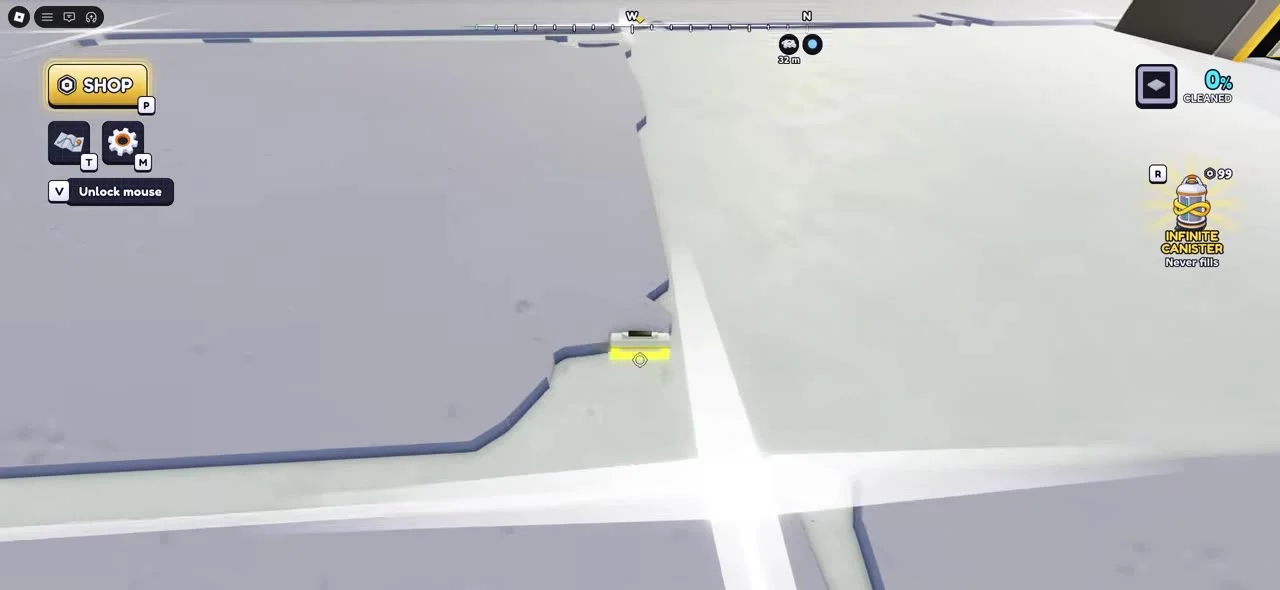
You do not need to chase every last speck. One video says that once a tile reaches ninety-five percent, it cleans itself in full. So ignore tiny dots. Aim at the big patches, and the game will do the rest.
One creator shows a tile tipping over and then clearing right when it hits that mark. Another creator watches the meter creep up, one percent at a time, and then the tile snaps clear. So watch the number, and you will know when you are done.
Quick steps for a tile
- Pick one tile and stay on it.
- Sweep in straight lines.
- Clear the big patches first.
- Stop worrying about the tiny dots near the end.
- Wait for the tile to clear itself and enjoy the bonus.
Canister space and free extras
Canister space is how much dust you can hold. A bigger canister means longer runs before you must go back.
One creator shows a free way to get more room. If you like the game and join the group, you can get two extra kilograms of canister space. The creator calls that very good for a beginner. It costs no Robux, so it is an easy win.
There is also a shop with game passes. One creator talks about a pass for endless canister space and calls it strong. It costs Robux, so it is up to you. You can play well without it by using upgrades and the free extra space.
One more tip from a video: the canister upgrades are a good early buy. So if you have to choose between a few things, the canister is a safe pick.
Building and automation
After you have made some progress, you can start to build. The game lets you place belts, set up robots, and buy vehicles. These things help the cleaning go on without you doing all the work.
But do not rush. One guide warns against jumping into automation before your basic setup is stronger. Raise your payout first. Then improve your tool and your cleaning. After that, spend more on robots and buildings.
Belts
A belt moves dust along for you. One video says it helps move the dust you have collected and makes handing it in smoother. That frees you to clean more.
However, another creator says belts are not needed at the start. Walking to the deposit area is easy in the early game, so a belt can waste money then. That creator says belts get better later, when you have lots of dust. The two ideas fit together. Wait on belts until you are well on your way.
Robots
Robots clean tiles for you. One creator shows that when you place a large robot dock, a robot rolls out and starts cleaning. That is great once you are tired of sweeping by hand.
One creator suggests saving up for a robot dock, since robots cost a fair bit. Another says that you should not try to build on a spot that is still covered in dust, so clear the area first.
Merging belts
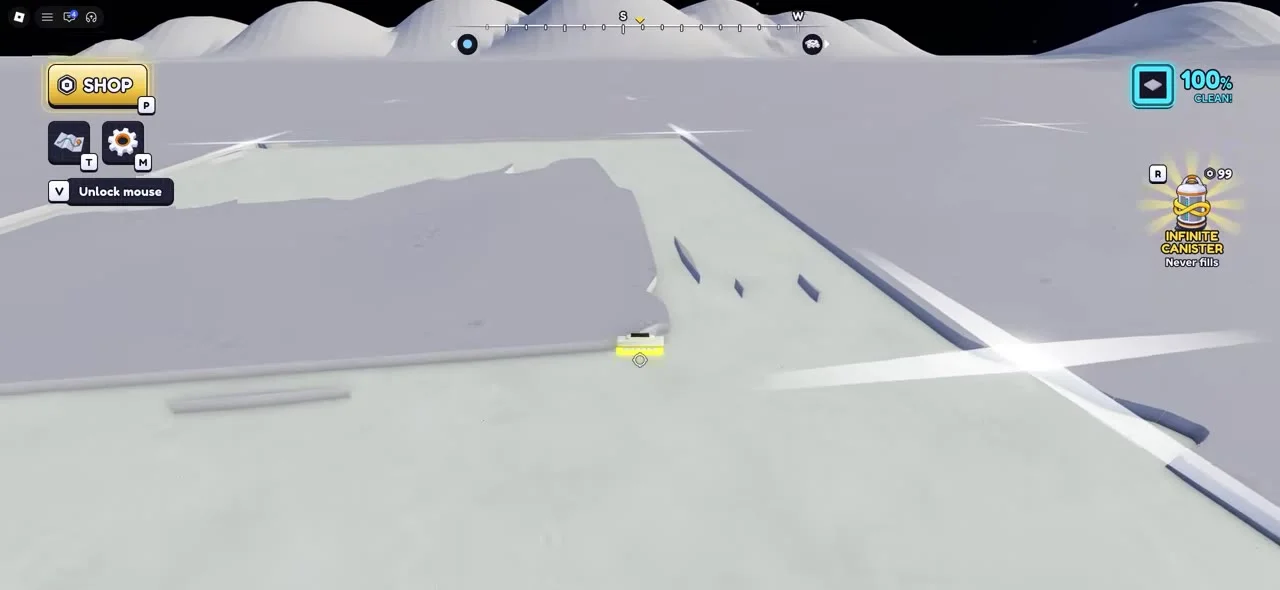
One creator suggests a merger. It is a belt piece that joins two belts into one. The idea is to put one around your base so all the lines flow together. That video says this is a fast way to get a good automatic setup.
Other buildings
The guides also name a few more things you can build. These include a block press for extra earnings, a large solar panel for power, a splitter that turns one belt into two, and a small solar panel. A video also shows a vehicle bay, where you can buy a vehicle once you have the money. These give you more goals as your base grows.
Building tool tip
One creator says that pressing G in build mode lets you pick between free build and a grid. A grid can help you line things up neatly.
Quick plan for your first session
Here is a simple plan that pulls the advice together:
- Hold your mouse button and sweep dust in straight lines.
- Fill your canister and walk to the deposit area.
- Buy payout first.
- Finish whole tiles for the bonus.
- Buy tile bonus, then head width, then head power.
- Raise your canister size.
- Stay near the main deposit area.
- Join the group for extra canister space.
- Earn shards and aim for Moon Marshal or Chief Engineer.
- Save up for a robot dock and then build more.
FAQ
What do I do first in Sweep The Moon?
Hold your mouse button and sweep up dust. When your canister is full, go to the deposit area and trade the dust for money. Then buy an upgrade and repeat.
Which class should I pick?
The guides point to Moon Marshal and Chief Engineer. Moon Marshal gives a crew earnings boost of ten percent. Chief Engineer has a Golden Tile perk where some tiles pay much more. One video says they work well together on a crew.
How do I get those classes?
One creator says you need shards. You can earn shards by playing, so keep sweeping and cleaning.
Which upgrade should I buy first?
Buy payout first.
Why should I clean a whole tile?
A finished tile gives you a bonus on top of normal pay. Clearing tile by tile is said to be the fastest way to earn.
Do I need to clear every speck on a tile?
No. One video says a tile clears on its own once it reaches ninety-five percent. So skip the tiny dots.
How can I get more canister space for free?
One creator says that liking the game and joining the group gives you two extra kilograms of space.
When should I start using robots and belts?
Wait until your basic setup is stronger. One guide says to raise your payout and tool first. Another says belts are not needed early, since walking to the deposit area is easy at the start.
What does a merger do?
It joins two belts into one. One creator suggests using it around your base to build a good automatic setup.
Can I build on dust?
One video says you cannot place buildings on dust you have not cleared. Clean the spot first, then build.